
Last month, a friend texted me asking which AI subscription to buy. She had been using the free versions of everything and kept running into the same problem half-baked answers, forgotten context, and that maddening confidence AI has when it is completely wrong about something. She wanted to pay for one of them. She just did not know which. I told her what I will tell you: the answer is less about which one is “best” and more about what your days actually look like.
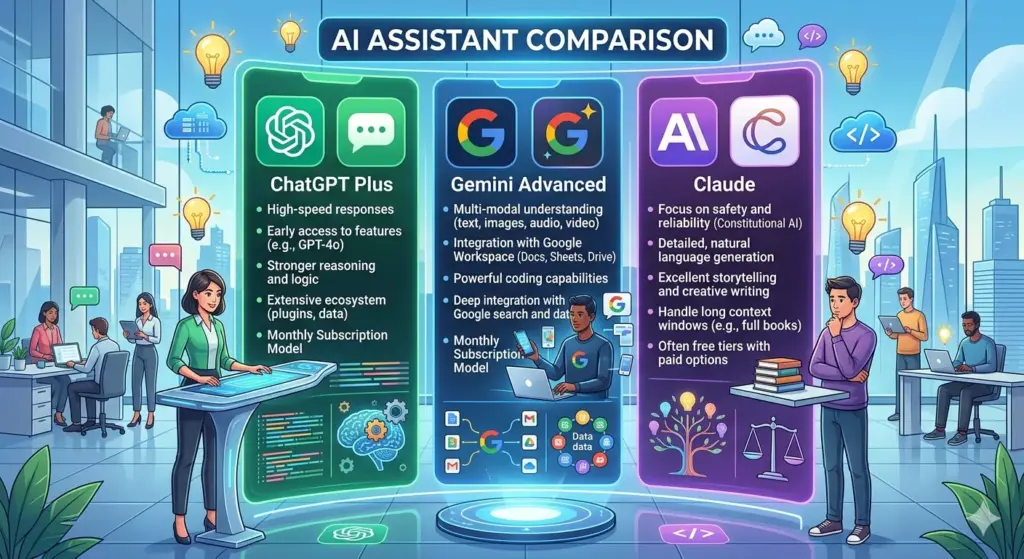
ChatGPT Plus vs Gemini Advanced vs Claude Pro sits at the center of a real spending decision for millions of people right now. At around $20 a month each, none of them will break the bank. But that does not mean you should just pick one at random. These three products are meaningfully different from each other in what they prioritize, where they stumble, and who they are really built for.
Table of Contents
What Each Subscription Actually Includes
Here is a plain-English breakdown before we get into the weeds.
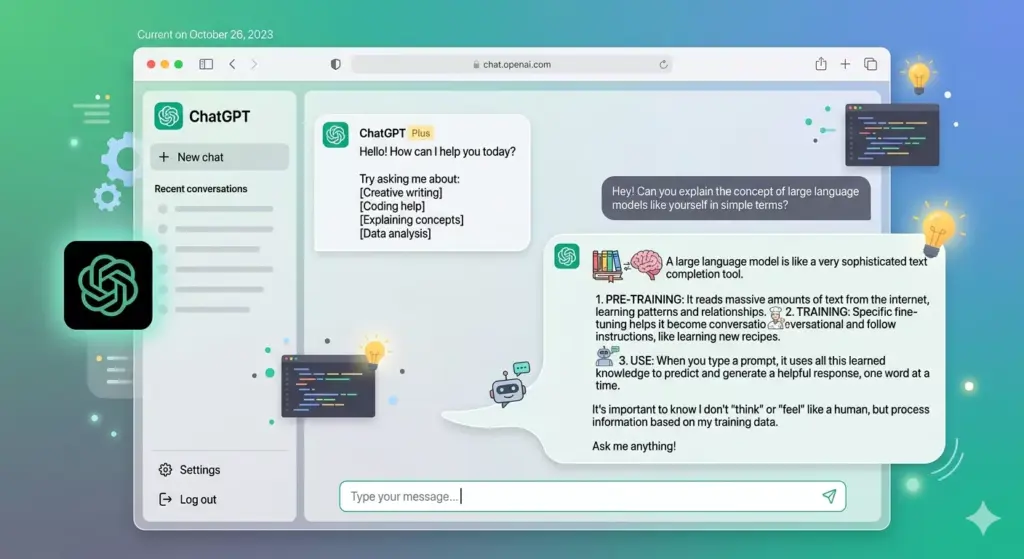
ChatGPT Plus hands you GPT-4o with much higher usage limits than the free tier, DALL·E image generation baked right in, voice mode, a web browsing tool, advanced data analysis (you can upload a spreadsheet and ask it questions directly), and the ability to build or use custom GPTs. OpenAI also added memory, so the model carries context from one conversation to the next without you repeating yourself every session. Also Read: How to clear cache on Browsers like Chrome, Firefox, and Safari (2026)?
Gemini Advanced gives you Google’s flagship mode Gemini 1.5 Pro and the thing that sets it apart is how deeply it plugs into Google Workspace. Your Gmail, Docs, Sheets, Drive Gemini can reach into all of it. The context window goes up to a million tokens, which sounds like a technical spec until you realize it means the model can read an entire novel, a full codebase, or a year’s worth of reports in a single prompt.
Claude Pro removes the tight usage caps from the free version, bumps your context window to 200,000 tokens, and gives you access to Projects persistent workspaces with uploaded files and custom instructions that carry over across every conversation in that project. You can also switch between different Claude models depending on whether you want speed or depth on a given task.
Quick Comparison: Features at a Glance
| Feature | ChatGPT Plus | Gemini Advanced | Claude Pro |
| Monthly Price | $20 | $19.99 | $20 |
| Best Model Access | GPT-4o | Gemini 1.5 Pro | Claude Sonnet / Opus |
| Context Window | 128K tokens | Up to 1M tokens | 200K tokens |
| Image Generation | Yes (DALL·E) | Yes (Imagen) | No |
| Web Browsing | Yes | Yes | Yes |
| Voice Mode | Yes | Yes | Limited |
| Memory Across Sessions | Yes | Yes | Via Projects |
| Google Workspace Integration | No | Yes | No |
| Custom Instructions | Yes (via GPTs) | Limited | Yes (via Projects) |
| File and Doc Upload | Yes | Yes | Yes |
| Code Interpreter | Yes | Yes | Yes |
ChatGPT Plus: Good at Almost Everything, Great at Nothing in Particular
OpenAI built ChatGPT to be a platform, not just a chatbot. That shows. The tool does a genuinely impressive number of things. Need an image? Done. Want to analyze a CSV file? Drop it in. Coding problem? It handles that well. Voice conversation on your commute? There is a natural-sounding mode for that too. For someone whose work jumps between different types of tasks in a single day, that versatility has real value.
The custom GPT ecosystem deserves a mention. Other people have built specialized versions of ChatGPT for everything from legal document review to recipe planning, and Plus subscribers can use them freely. It is a bit like having access to a marketplace of purpose-built tools sitting on top of the same underlying model. Also you can read Express vpn VS Surfshark Vpn: which is best?
Where ChatGPT frustrates is in longer writing projects. Ask it to write something with a real point of view and it tends to sand all the edges off. Everything comes out competent but a little flat. The hedging can also wear on you pile enough qualifications onto a response and the thing you actually needed gets buried underneath them.
That said, for developers, data analysts, or anyone who needs a multi-purpose tool rather than a specialist, ChatGPT Plus earns its price.
Gemini Advanced: The One That Makes Sense Inside Google’s World
I want to be direct here: if you do not use Google Workspace for work, Gemini Advanced becomes a much harder sell.
But if you do live in Gmail, Docs, and Drive, the integration is useful in ways that feel qualitatively different from just chatting with an AI. Gemini can pull context from emails you sent three weeks ago. It can summarize a document sitting in your Drive without you pasting it in first. It can help you draft a reply that actually matches the tone of your earlier messages in a thread. That kind of embedded intelligence inside tools you already use daily is something the other two simply cannot replicate.
The million-token context window is genuinely impressive too, even if most users never push close to it. Lawyers working through lengthy contracts, researchers processing large bodies of literature, engineers navigating big codebases for those people, it removes a constraint that other models still bump against.
Where Gemini trails is in writing quality and the depth of its reasoning on complex questions. It can feel like it is skimming when the other two would dig in. Google has been closing this gap, but it has not closed it yet.
Claude Pro: Built for People Who Care About the Quality of the Thinking
Claude takes a narrower approach and makes no apologies for it.
There is no image generation. The third-party integrations are limited compared to ChatGPT. The sprawling feature list is not there. What is there is an AI that reads carefully, reasons without rushing toward a conclusion, and writes in a way that does not immediately sound like output from a language model.
For anyone whose work involves sustained writing journalists, researchers, consultants, authors, strategists this matters more than most of the features you are giving up. Claude does not just produce technically correct sentences. It tends to produce sentences that are worth reading. The difference becomes obvious the first time you put Claude’s draft next to ChatGPT’s on the same prompt.
The Projects feature is underrated in most comparisons. You build a workspace once upload your documents, write your instructions, set your context and every conversation you have inside that project starts from the same foundation. For ongoing work with the same set of materials, that kind of persistence is more useful than it sounds.
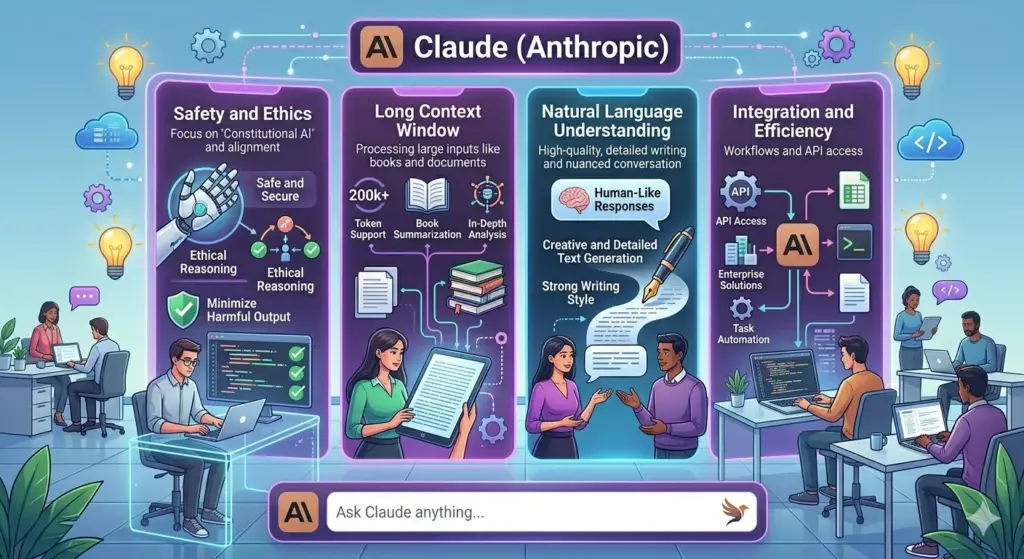
The 200,000-token context window also holds up in practice. Feed Claude an entire research paper, a lengthy contract, or a full manuscript. It does not skim. It carries the material properly and answers questions about specific sections with the kind of accuracy that makes the feature actually useful rather than just technically present. Also Read: Is AI taking over creative jobs? Complete Guide
Head-to-Head Performance Comparison
| Task | Best Pick | Runner-Up | Notes |
| Creative and Long-Form Writing | Claude Pro | ChatGPT Plus | Claude’s output feels less templated and more considered |
| Coding and Debugging | ChatGPT Plus | Claude Pro | GPT-4o handles multi-file context reliably |
| Research and Summarizing | Gemini Advanced | ChatGPT Plus | Gemini wins when sources live in Drive or Gmail |
| Image Generation | ChatGPT Plus | Gemini Advanced | Claude has no image generation at all |
| Data Analysis | ChatGPT Plus | Gemini Advanced | GPT-4o’s code interpreter is the most mature |
| Working with Long Documents | Claude Pro | Gemini Advanced | Claude uses its context window more reliably in practice |
| Google Workspace Users | Gemini Advanced | — | Nothing else comes close for this specific use case |
| Ongoing Projects and Workflows | Claude Pro | ChatGPT Plus | Projects feature gives Claude a clear edge |
| Voice Conversations | ChatGPT Plus | Gemini Advanced | ChatGPT’s voice mode is the most polished |
| General Everyday Use | ChatGPT Plus | Claude Pro | Broadest capability set of the three |
Pricing Breakdown
| Plan | Monthly Cost | Annual Estimate | Free Tier Available |
| ChatGPT Plus | $20/month | ~$240/year | Yes (GPT-4o mini) |
| Gemini Advanced | $19.99/month | ~$240/year | Yes (Gemini 1.0) |
| Claude Pro | $20/month | ~$240/year | Yes (Claude Sonnet, rate limited) |
All three land at essentially the same price. None of them currently offer a compelling discount for annual billing, though promotional pricing appears occasionally. The decision comes down to fit, not cost.
Which One Should You Actually Pay For?
Here is the most useful way to think about it.
Pay for ChatGPT Plus if your work is varied you write code some days, analyze data others, occasionally need an image, and want one tool that handles most things without switching between apps. It is the most capable generalist of the three.
Pay for Gemini Advanced if your professional life runs on Google. If your documents live in Drive, your communication runs through Gmail, and your team collaborates in Workspace, the integrations will make your $20 feel like it goes further than either alternative.
Pay for Claude Pro if your work is heavy on writing, analysis, or extended research and you want output that sounds like it came from someone thinking carefully rather than generating quickly. The Projects feature also makes it the best option for anyone doing ongoing, document-heavy work.
One honest suggestion before you commit: run the same real task through all three free tiers on the same afternoon. Not a toy prompt — something you actually need done. The differences become clear on their own, and you will come out of it with a much better sense of where each one earns its price.
The gap between these three closes a little with every model update, and specific rankings will shift over the coming year. But the fundamental differences in what each tool prioritizes breadth, ecosystem fit, or depth of reasoning are unlikely to disappear. Figure out which of those your work actually needs, and the choice makes itself.