
Trying to keep your whole life organized in one place sounds unrealistic at first. Most people already have notes scattered across apps, unfinished to-do lists, screenshots they never revisit, and calendars filled with reminders they ignore after a week.
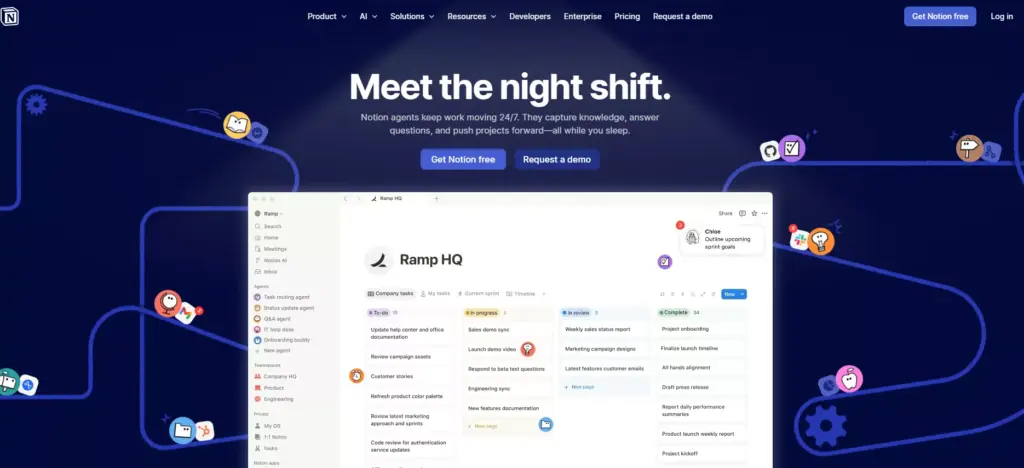
That mess is probably why tools like Notion started becoming more common. Sites like atechnewsdaily.com have been covering how people are shifting toward AI-based productivity systems instead of relying on separate apps for every little task. The interesting part is that Notion AI is not just another note-taking app anymore. It slowly turned into something closer to a digital operating system for everyday life organization.
Table of Contents
How to use Notion AI for managing daily life without overcomplicating things
A lot of people start using Notion AI with unrealistic setups. They build giant dashboards, complicated databases, and color-coded systems they abandon after three days. The simpler setups usually last longer.
Learning How to use Notion AI properly has less to do with advanced features and more to do with removing mental clutter. The tool works best when it becomes a quiet part of your routine instead of a project you constantly redesign. Also Read: Express Vpn VS Surfshark Vpn: Which is best in 2026?
Most users begin with a simple Notion workspace that combines:
| Area | What It Handles |
| Daily planner | Tasks and appointments |
| Notes section | AI note taking |
| Goals dashboard | Goal tracking |
| Habit page | Routine management |
| Knowledge base | Saved information |
| Project tracker | Work and side projects |
The reason people stick with Notion AI is flexibility. Some use it like a second brain. Others treat it as a digital planner with automation features layered on top.
A normal setup usually works better than a “perfect” setup
One thing people notice after a few weeks is that productivity tools fail when they require too much maintenance. A complicated system looks impressive on YouTube, but daily life gets messy fast. That is why many users now prefer lightweight Notion templates instead of building everything from scratch.
There are also endless comparisons between AI assistants now because people want a system that fits naturally into their workflow. Articles like claude vs gemini vs chatgpt which one is better? became popular partly because users combine multiple tools with their Notion workspace instead of depending on only one platform.
The truth is that Notion AI works better when paired with habits you already have. If you never check planners, creating a massive dashboard will not suddenly make you organized.
Using Notion AI for task management feels less rigid
Traditional task apps can feel repetitive after a while. You keep checking boxes without understanding what actually matters.
Notion AI changes that slightly because it can summarize priorities, rewrite messy notes into action items, and organize scattered thoughts automatically.
People often use it for:
- Weekly planning
- Grocery lists
- Content calendars
- Budget tracking
- Meeting notes
- Project management
- Personal productivity systems
The AI assistant inside the platform helps turn rough notes into something structured. Instead of manually sorting every detail, users can ask Notion AI to generate summaries, build tables, or organize information.
That small shift matters more than people expect.
Daily planning becomes easier when everything stays connected
A lot of productivity apps fail because they isolate information. Your calendar lives in one app. Notes live somewhere else. Tasks are hidden in another place.
Inside a Notion workspace, those things connect together more naturally. Here is a simple example of how people structure their daily planner:
| Section | Purpose |
| Morning tasks | Priority work |
| Calendar view | Scheduled events |
| Notes area | Random ideas |
| Habit tracker | Daily routines |
| Reflection section | End-of-day review |
This type of life organization setup feels less overwhelming because everything stays in one system.
People searching “how to use Notion AI to organise your daily tasks and goals” are usually trying to reduce decision fatigue more than increase productivity. Also Read: Nord VPN vs Surfshark VPN: Which is best in 2026?
AI note taking saves more time than expected
AI note taking is one of the most useful parts of the platform, especially for students and remote workers.
Instead of cleaning up messy notes manually, Notion AI can:
- Summarize meeting discussions
- Rewrite rough notes
- Extract action items
- Create outlines
- Generate quick summaries
Using Notion AI for note taking and knowledge management feels practical because it removes small repetitive tasks people normally ignore until information becomes chaotic.
The system is not perfect though. Sometimes summaries feel too generic. Important details occasionally get skipped. Most users still review everything manually. That balance matters. AI productivity tools help organize information faster, but they still work better with human editing.
Notion templates make starting easier
Many beginners quit because they try building a system from nothing.
That is where Notion templates help. Instead of creating databases manually, users import ready-made layouts for task management, daily planning, or project tracking.
Some popular template categories include:
| Template Type | Common Use |
| Student dashboard | Assignments and notes |
| Business planner | Project management |
| Personal journal | Reflection tracking |
| Content planner | Social scheduling |
| Habit tracker | Routine monitoring |
The best Notion AI templates for task management and planning usually stay minimal. Too many widgets and pages create friction.
People tend to stick with systems they can update in under five minutes.
Goal tracking feels less disconnected
One thing traditional planners struggle with is long-term tracking. Goals often disappear after the first month because they are separated from daily tasks. Inside Notion AI, users combine goal tracking with weekly planning and habit tracking in the same workspace. For example:
| Goal | Connected Habit |
| Read more books | 20 minutes daily |
| Improve fitness | Workout schedule |
| Grow side business | Weekly content plan |
| Save money | Expense tracker |
This kind of connection helps personal productivity feel less random. The system works because people see progress inside their normal workflow instead of revisiting forgotten goals once every few months.
Students and professionals use it differently
How Notion AI helps students and professionals stay organized depends heavily on workload.
Students usually focus on:
- AI note taking
- Class schedules
- Assignment tracking
- Revision planning
Professionals often care more about:
- Workflow automation
- Team collaboration
- Meeting notes
- Project management
- Knowledge management
The interesting part is that both groups often end up using similar structures. They just label pages differently.
A student dashboard and a business dashboard are not as different as people think.
Workflow automation removes repetitive work
Workflow automation inside Notion is still simpler than dedicated automation software, but it handles everyday organization fairly well.
Users automate things like:
- Recurring tasks
- Deadline reminders
- Project status updates
- Content scheduling
- Meeting preparation
People searching “how to automate your workflow with Notion AI tools and templates” usually want less mental overload, not full business automation. That distinction matters because many AI productivity systems become exhausting when they try to automate every tiny action. Sometimes basic reminders and linked databases are enough. Also Read: Grammarly vs QuillBot vs ChatGPT: best AI writing assistant?
Building a second brain sounds dramatic, but the idea works
A lot of people describe their Notion workspace as a “second brain.” The phrase sounds exaggerated, though the concept makes sense after a while.
Instead of trying to remember every idea, article, task, or reminder, everything gets stored in one searchable system.
Users save:
- Book notes
- Research links
- Travel plans
- Recipes
- Work documents
- Random ideas
- Journal entries
Over time, knowledge management becomes easier because information stays searchable instead of scattered across apps and screenshots.
This is probably one reason AI-powered organization systems keep growing. People are overwhelmed by fragmented information more than lack of productivity advice.
The mobile version matters more than people admit
Many productivity systems fail because they only work well on desktops.
The Notion mobile app still has limitations, though it improved a lot. Most people capture ideas quickly from their phones and organize them later on desktop. The habit matters because life organization systems only work if they are easy to access in real moments. A complicated dashboard nobody opens outside work hours becomes useless pretty quickly.
AI productivity tools still need boundaries
There is also a point where organization becomes another form of procrastination.
Some users spend more time redesigning their Notion workspace than actually finishing tasks. It happens surprisingly often.
The best ways to use Notion AI for personal productivity in 2026 are usually the least flashy methods:
- Keep pages simple
- Use templates sparingly
- Avoid excessive customization
- Focus on daily consistency
- Review systems weekly
A good productivity system should reduce stress, not create another maintenance project.
Scheduling and calendar planning feel more flexible now
Many people now combine Google Calendar with Notion AI for scheduling.
This setup helps with:
| Planning Need | How People Use It |
| Daily planner | Hour-by-hour scheduling |
| Weekly review | Priority organization |
| Project deadlines | Timeline tracking |
| Personal routines | Habit reminders |
People asking “how to use Notion AI for scheduling and calendar planning” are usually trying to connect long-term goals with ordinary daily routines.
That connection is harder than most productivity advice makes it sound.
It works best when it reflects real life
A strange thing happens when people use Notion AI consistently for a few months. The system becomes less about productivity and more about clarity.
You stop trying to remember every task mentally. Notes stop disappearing. Goals stop feeling abstract. Still, the platform only works when the setup reflects actual behavior patterns. If somebody hates detailed planning, forcing a rigid productivity dashboard usually fails.
The best AI powered Notion setup for managing work and personal life is usually the one that feels easy enough to maintain on bad days, not just productive days. That is probably why simple systems survive longer than complicated ones.
Final thoughts
Learning How to use Notion AI effectively takes some trial and error because people organize their lives differently. Some rely heavily on daily planners and task management systems. Others mainly use AI note taking and knowledge management features.
The useful part is not the AI itself. It is the reduction of mental clutter. Notion AI gives people one place for projects, schedules, notes, reminders, and routines instead of scattering everything across disconnected apps. That alone changes how many people manage work and personal life in 2026.
The system does not magically make someone disciplined or productive. It just removes friction from staying organized. For most people, that is already enough.