
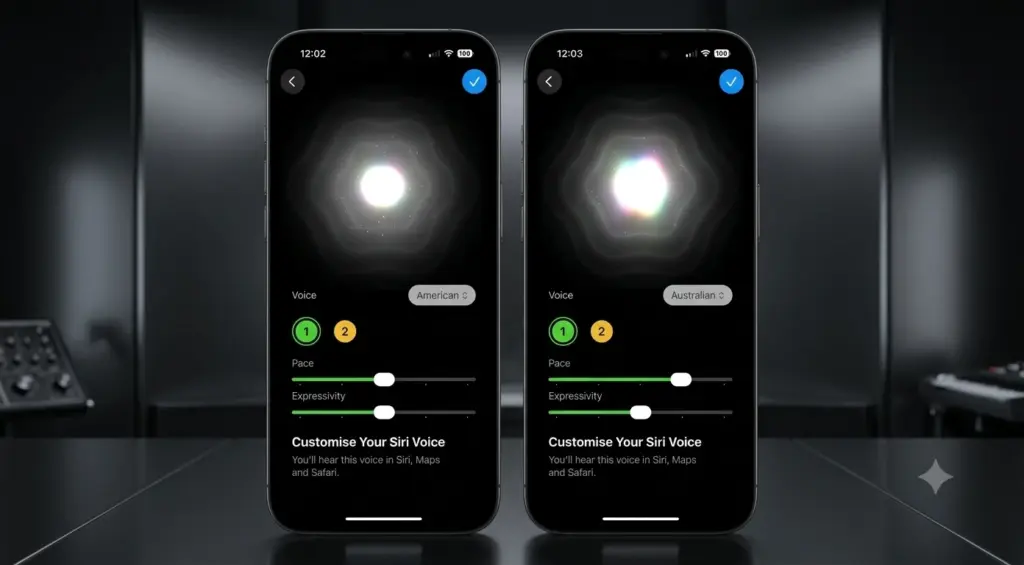
Updated my phone to the newest developer beta a few days back, mostly out of habit more than anything else. Almost scrolled right past the thing this whole post is about. Buried down in the Siri settings were two sliders that never used to do anything just sat there, grayed out, teasing you every time you opened that menu. Now they move. That’s really the whole story here: Apple switched on Pace and Expressivity in latest iOS 27 Beta, and Siri sounds pretty different because of it.
I probably spent more time than necessary dragging those sliders back and forth this week. So here’s what I found, to save you the guesswork. Also Read How to Connect Bluetooth Device to any TV? Complete Guide
Table of Contents
What changed in beta 3
Quick bit of background first. In the first two developer betas, if you’d opened Siri’s voice settings, “Pace” and “Expressivity” were already sitting there. Just didn’t do anything though. Both labeled “Coming Soon,” which is Apple’s polite way of saying you can look but not touch yet.
That changed with beta 3. Pace and Expressivity in latest iOS 27 Beta actually work now no more staring at dead sliders wondering when Apple will flip the switch.
All this traces back to WWDC 2026, when Apple showed off its rebuilt, AI-driven Siri for the first time. Before that, personalizing Siri’s voice pretty much meant choosing male or female and moving on. Now there’s a real spread of accented voices, and beyond that, you can actually shape how each one comes across.
Finding the settings
Not complicated, but easy to miss if you don’t already know where it is.
Settings, then Siri. Make sure Expressive Voices Preview is toggled on people skip this and then wonder why nothing’s showing up for them. Once that’s flipped on, scroll to the voice section and the sliders are right there, no longer grayed out.
One thing worth mentioning: Siri talks back while you adjust the sliders. Something basic like “you have one new message,” just so you can hear the change happening instead of guessing what a number on a slider actually sounds like out loud. Small thing, but it saves you from setting something you end up not liking later. Also Read How to Speed Up a Slow Android Phone in 2026
What Pace and Expressivity actually do
The names alone don’t explain much, so here’s the plain version.
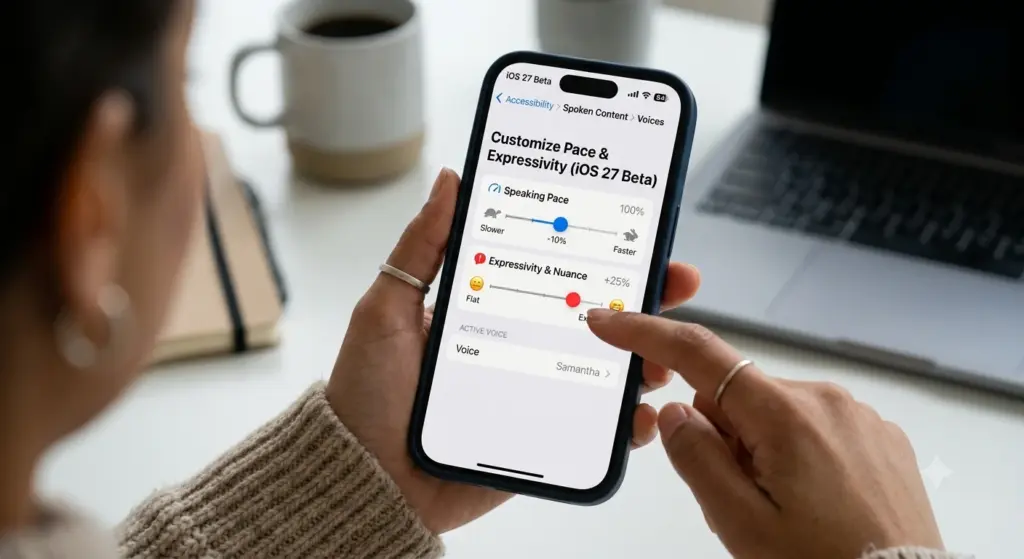
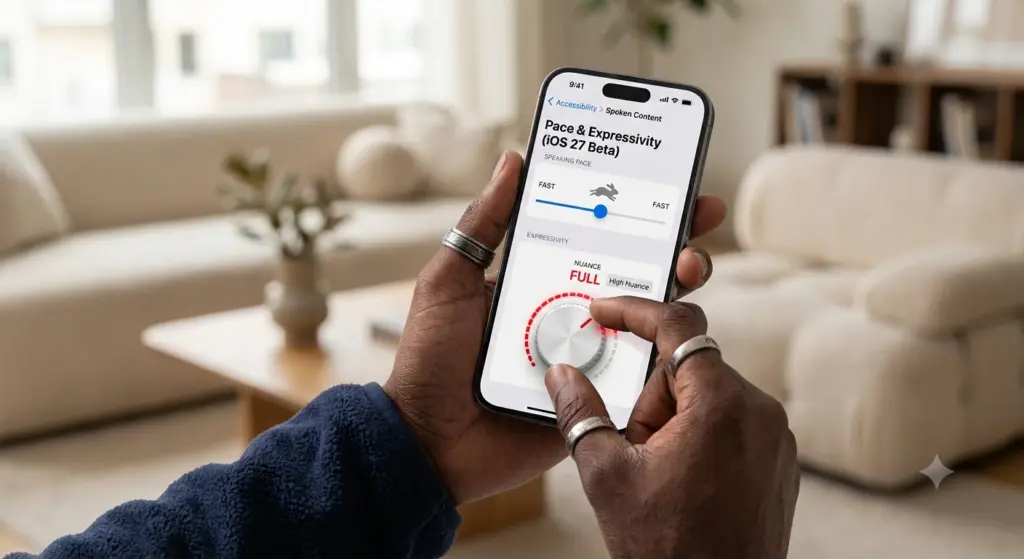
Pace is just speed. How fast or slow Siri talks back to you. Push it one direction and responses come out quick, almost clipped. Push the other way and everything slows down, more space between the words.
Expressivity is closer to tone. Flat and mechanical on one end, warmer with more inflection on the other.
Put the two together and you get a fairly wide range out of one assistant. Quick and flat works if you just want the information and nothing else. Slower with more warmth if you’d rather it feel like a conversation instead of barking commands at a machine.
What actually caught me off guard is that this isn’t limited to the Siri app itself. Adjusting Pace and Expressivity in latest iOS 27 Beta changes things system-wide Maps directions, Safari’s read-aloud stuff, Announce Notifications through AirPods, all of it. One setting, and it follows you everywhere Siri’s voice shows up in the OS.
Why this is bigger than two sliders
I know, two sliders for speech settings doesn’t sound like a big deal on paper. There’s more going on underneath though. Apple’s been rebuilding Siri from the ground up around generative AI for a while now, and part of that rebuild is trying to make it feel less like a tool you tap through and more like something worth actually talking to.
That’s where the voice stuff comes in. Other companies working on AI assistants already figured out people respond to a voice emotionally, not just because it gets a task done. OpenAI let ChatGPT users tune warmth and enthusiasm back in December 2025, plus a baseline style and tone. So really, Apple rolling out Pace and Expressivity in latest iOS 27 Beta is catching up more than it’s breaking new ground though Apple does have this baked into the entire operating system instead of a single app, which reaches a lot further.
Not every phone gets this
If you’re on the beta and not seeing much of a difference, check your hardware before anything else. The more advanced voice stuff, expressive Siri voices included, needs at least 12GB of RAM to run on-device. Right now that’s basically iPhone Air, iPhone 17 Pro, and iPhone 17 Pro Max. Older phones will still show you the menu, just without the same depth, since the model behind it needs more memory than those devices have to spare.
Things worth knowing before jumping in
It’s beta software, so a few bumps are normal. Some testers mentioned briefly losing access to the new Siri right after updating. A few noticed their phone quietly re-indexing personal data afterward too, which usually means Siri’s on-device search is recalibrating itself. Doesn’t look widespread or permanent from what I’ve seen, just something to expect going in.
Also no major security fixes came with this beta beyond what beta 2 already had. If running pre-release software with unpatched holes isn’t your thing, there’s no shame in just waiting for the public release this fall instead. Also Read How to Transfer Data from old Iphone to New Iphone? Complete Guide
Worth trying right now?
If you’re already on the developer beta with a supported phone, no real reason to hold off. Finding the sliders takes two minutes, and hearing Pace and Expressivity in latest iOS 27 Beta for yourself is worth that little bit of time. If you’re not in the beta program, don’t worry about it this lands for everyone with the public iOS 27 release later this year, and Apple will likely have ironed out most of the current rough edges by then anyway.
Either way, it’s a small feature pointing at something bigger. An assistant that’s starting to sound less like it’s reading you an answer off a script, and more like it’s actually talking with you.