
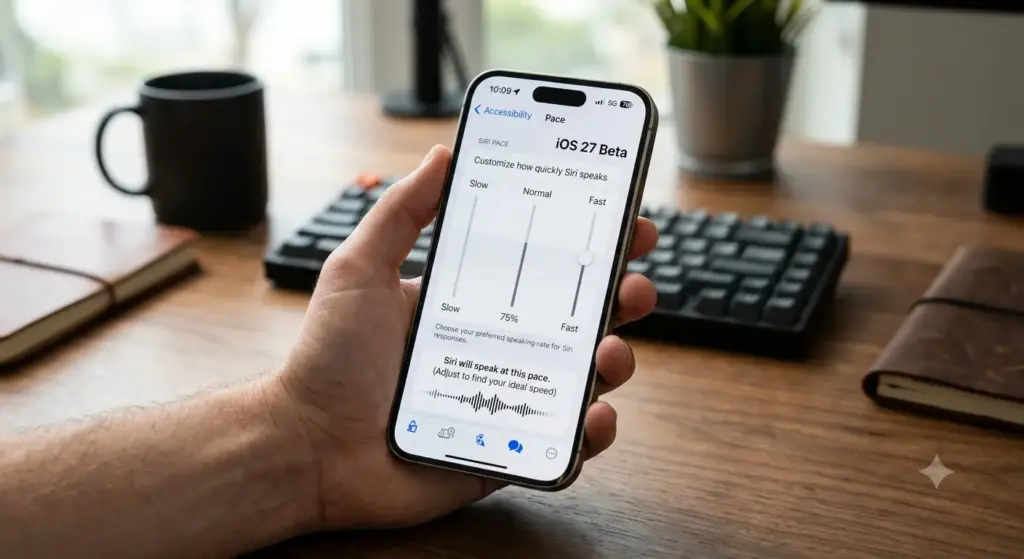
Apple’s been quietly tweaking Siri all year, honestly in ways most people won’t even notice. But this one caught my attention. You can customize Siri’s pace in iOS 27 beta now — along with how much emotion the assistant puts into its voice. Small feature on paper. Says a lot about where Apple’s actually headed, though. Also Read How Is Agentic AI Different from Traditional Chatbots?
So What Changed, Exactly?
In iOS 27 beta 3, Apple flipped on the voice controls for “Pace” and “Expressivity.” These had been sitting there since the very first developer betas, labeled “Coming soon,” visible but grayed out and completely useless. You could see them. You just couldn’t touch them. Now you can. You can customize Siri’s pace in iOS 27 beta, and there’s a second slider next to it for how expressive the voice sounds.
Both sliders come with five levels each, across the two voices currently available. Drag one and Siri actually talks back — it’ll run through something like “You have one new message” so you hear the change in real time instead of guessing and then finding out later whether you liked it.
Trying It Yourself
If you’re already on the developer beta, here’s roughly the path:
- Back up your phone first. Settings, your name, iCloud, iCloud Backup, Back Up Now. Betas break things sometimes and you don’t want to find that out the hard way.
- Settings > General > Software Update > Beta Updates > iOS 27 Developer Beta.
- Once it’s installed, go into Settings and tap Siri.
- First time in there since updating, you’ll get prompted to pick between “Try the New Siri” and staying on the old version. Pick the new one.
- There’s a toggle called Expressive Voices Preview — turn that on and a whole new customization screen appears with the two sliders.
- Pace speeds Siri up or slows it down. Expressivity controls how much emotion comes through. Tap the checkmark once you’ve landed on something you like.
One catch worth knowing about before you get excited: this only works on the A19 Pro chip, so iPhone Air, iPhone 17 Pro, and iPhone 17 Pro Max. Reportedly the underlying AI needs at least 12GB of RAM, which is why older phones are locked out entirely. If you’re on anything before that lineup, the sliders simply won’t be there.
Why Now, Though?
This isn’t happening in a vacuum. Apple’s clearly trying to make its AI-powered Siri feel less robotic and more like something people actually want to talk to — and frankly, it’s playing catch-up here. OpenAI already did something similar for ChatGPT back in December 2025, letting people dial in warmth and enthusiasm, plus pick a base tone — friendly, professional, candid, quirky, whatever fits. Apple’s version is narrower right now, just the two sliders, but it’s clearly aimed in the same direction.
Mike Rockwell, who runs Siri Engineering at Apple, actually teased this back at WWDC in June, talking about letting people “customize Siri’s voice like never before.” Beta 3 is that promise finally showing up somewhere you can actually install and use.
And there’s a real practical angle buried in here too, beyond just personal taste. Being able to slow Siri down (or speed it up) could genuinely function as an accessibility tool — especially for people who process spoken language differently. Apple isn’t shouting about that angle in its marketing, but it might end up mattering more than the “make it sound cool” pitch. Also Read How to clear cache on Browsers like Chrome, Firefox, and Safari (2026)?
It’s a Beta, So — Some Rough Patches
Not everything’s smooth. A handful of people testing on X have reported losing access to the new Siri entirely after updating, or watching their phone start re-indexing data all over again, which usually happens while the AI features are getting optimized behind the scenes. Apple hasn’t said anything about it publicly yet.
Language support is also an open question. No word yet on whether the sliders work outside English — though betas typically ship English-first and expand later, so that’s not exactly surprising. Also Read What is Mistral AI? Everything You Should Know About OpenAI’s Competitor
Where This Leaves Things
You can customize Siri’s pace in iOS 27 beta, and once you’ve actually played with it, it’s hard not to notice how much it changes how “alive” the assistant feels — that’s genuinely the part that stood out to me. It’s a small addition in isolation, sure. But it fits into something bigger: an assistant Apple wants to not just understand you, but actually sound like something worth talking to daily. Will that win back people who gave up on Siri years ago? Different question entirely. Still — the fact that you can customize Siri’s pace in iOS 27 beta at all tells you Apple’s finally taking the “sounds human” side of this seriously.