
Password reuse is still one of those habits people know is risky but keep doing anyway. That is usually where a password manager for families starts to matter more than antivirus or browser tools. Sites like atechnewsdaily.com often point out how digital safety now depends on small tools like this, especially for households managing multiple accounts across devices. When people search for Best Password Managers for families, they are usually not thinking about advanced cybersecurity.
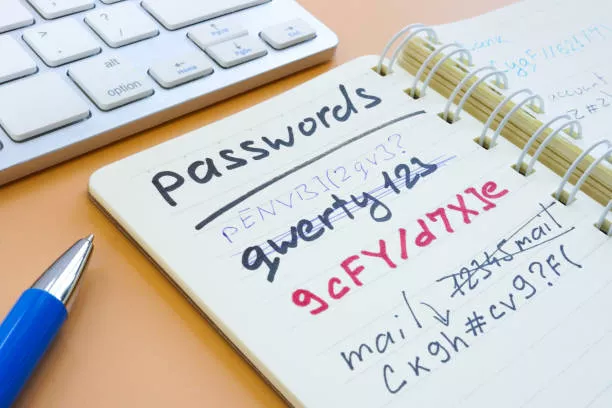
It is more basic than that keeping streaming logins, school accounts, banking apps, and social media safe without writing passwords on notes or reusing weak combinations. Before going deeper, a password manager is basically a secure vault that stores encrypted passwords, generates strong ones, and autofills them when needed. It reduces the pressure of remembering everything manually.
There is also a growing comparison culture around digital tools in general. Even discussions like claude vs gemini vs chatgpt which one is better? show how people are now choosing tools more carefully instead of just using whatever is popular.
Table of Contents
Best Password Managers for families and why they matter in 2026
The idea of Best Password Managers for families has changed a lot over the years. It is no longer just about storing passwords. It is about managing digital security across multiple people, devices, and even generations in one household.
A modern family password manager usually handles:
- Shared logins for streaming services
- Secure storage of banking credentials
- Parental access controls
- Emergency access for recovery
- Sync across multiple devices
These tools sit in the middle of online security and everyday convenience. Without them, families often rely on weak passwords or browser storage, which is not always safe. Also Read: Biggest data breaches of 2026: What you need to know
What a family password manager actually does
A password manager is often misunderstood as just a storage tool, but in reality it acts more like a secure digital system.
Most family password manager apps include:
- Encrypted passwords stored in a password vault
- Auto login through auto fill passwords
- Built-in password generator
- Secure sharing between family members
- multi device sync across phones, tablets, and laptops
This makes it easier for parents and children to stay organized without exposing sensitive data. At the core, everything is protected through encryption, which keeps encrypted passwords unreadable even if someone gains access to the system.
How family password managers improve online security
A big reason people switch to a family password manager is simple: password habits at home are usually inconsistent.
Common problems include:
- Same password used across accounts
- Weak passwords like names or birthdays
- Saved logins in browser history
- Shared accounts without control
A good password manager fixes this by generating strong credentials and storing them in a controlled environment. That is where password security improves naturally. Instead of remembering passwords, users rely on secure systems designed for data protection and identity protection. Also Read: How to Recover Deleted Photos on iphone and Android?
Comparing top family password managers in 2026
There are many cybersecurity tools in this space, but family-focused solutions usually stand out based on sharing and control features.
| Feature | Family Password Manager A | Family Password Manager B |
| Secure sharing | Yes | Yes |
| Emergency access | Yes | Limited |
| Multi-device sync | Strong | Strong |
| Password generator | Advanced | Basic |
| Browser password manager support | Yes | Yes |
| Two factor authentication | Yes | Yes |
This type of comparison of top family password managers in 2026 features and pricing usually helps users figure out what fits their household better.
Secure storage and encrypted password vaults
At the center of every system is a password vault. This is where all credentials are stored in encrypted form.
A strong vault provides:
- Secure storage for all accounts
- Protection using encryption keys
- Backup through cloud syncing
- Controlled access per user
These secure storage systems reduce dependency on memory or unsafe notes saved in phones or browsers.
Browser password managers vs dedicated apps
Most browsers now include a basic browser password manager, but it is usually limited.
Browser tools can:
- Save passwords automatically
- Offer basic autofill
- Sync across browser accounts
But they often lack:
- Strong encryption layers
- Family sharing controls
- Emergency access features
- Advanced privacy tools
That is why dedicated apps are usually preferred for full digital security.
Two factor authentication and family protection
One of the most important layers in modern password security is two factor authentication.
It adds an extra step when logging in, usually a code sent to a phone or app.
In family setups, this helps because:
- Even if a password is stolen, access is blocked
- Children’s accounts stay protected
- Shared logins remain more secure
This is why many modern password manager apps require or strongly recommend it.
Auto fill passwords and daily convenience
One of the reasons families actually stick to using a family password manager is convenience.
Features like auto fill passwords reduce friction during daily use:
- No typing long passwords
- Faster login to apps and websites
- Reduced password reuse habits
- Easier access for kids and elderly users
It feels small, but over time it changes how people interact with online security tools.
Password generator and stronger credentials
A built-in password generator is one of the most practical features inside any password manager.
Instead of guessing passwords, it creates:
- Random character combinations
- Strong alphanumeric strings
- Unique passwords for every account
This directly improves password security and reduces the risk of cybersecurity tools being bypassed through weak login credentials. Also Read: Best Vpns for the US in 2026? Complete Guide
Multi-device sync for modern families
Families rarely use just one device anymore. Phones, tablets, laptops, and smart TVs all need login access.
That is where multi device sync becomes important.
A good family password manager ensures:
- Same passwords across all devices
- Instant updates when changes happen
- Secure syncing without exposure
- Access control per user
Without sync, managing passwords across a household becomes messy quickly.
Online security risks families often ignore
Most households do not think about threats until something goes wrong. Common risks include:
- Phishing emails targeting kids or parents
- Weak reused passwords across apps
- Shared streaming accounts getting hacked
- Unsecured browser storage
A family password manager helps reduce these risks by enforcing stronger password security habits automatically.
Identity protection and long-term safety
One overlooked part of digital security is identity protection.
Once credentials are exposed, they can be reused across different platforms. This is where a password manager helps by:
- Generating unique passwords per account
- Storing credentials securely
- Reducing reuse across platforms
It does not stop attacks completely, but it reduces the damage caused by leaks.
Best affordable password managers for families
For many households, pricing matters just as much as features.
Affordable family password manager options usually include:
- Basic sharing features
- Cloud backup
- Encryption standards
- Device syncing
They may not have advanced security layers, but they still improve online security significantly compared to no system at all. Also Read: How to use Notion AI to organize your entire life?
How to choose the right family password manager
Choosing the right tool is less about brand and more about usage.
A simple way to decide:
- If you want simplicity → go for basic password manager apps
- If you need control → choose advanced family password manager tools
- If you want affordability → look for entry-level plans
- If you want strong security → prioritize encryption and 2FA
The right choice depends on how the family uses devices daily.
Final thoughts
The idea of Best Password Managers for families is not really about finding a perfect app. It is more about building safer habits around password security and reducing everyday risks that come from reused or weak credentials.A password manager acts as a quiet layer in the background handling storage, generating secure logins, syncing across devices, and keeping everything encrypted.
Families that adopt these tools usually notice the difference slowly. Fewer login issues, fewer password resets, and a bit more control over online security across devices. It does not remove all risks, but it does change how those risks are managed day to day, which is usually where it matters most.