
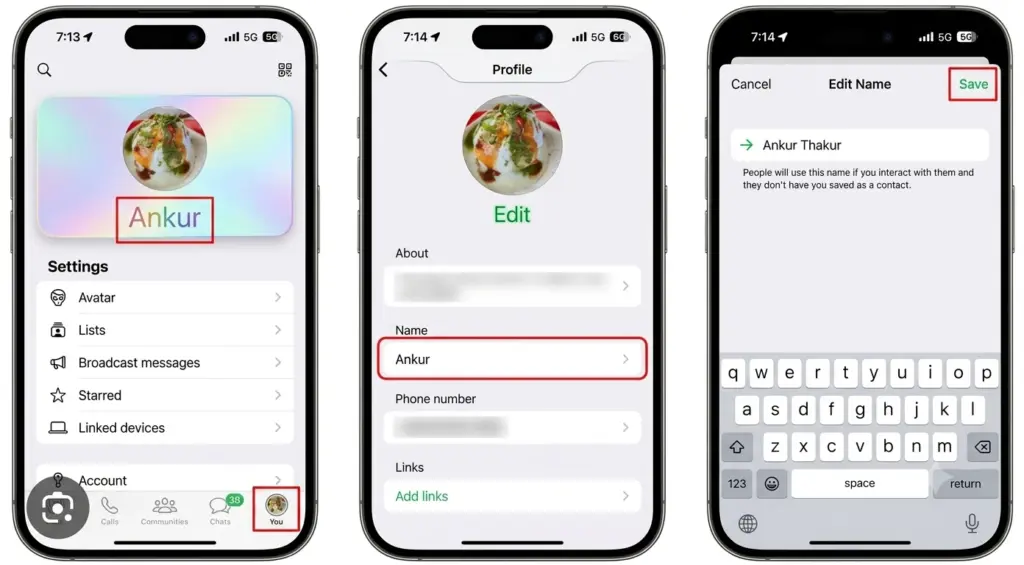
Updated WhatsApp a couple weeks ago and noticed something new tucked under Account settings. Username. Took me a second to even register what that meant, since WhatsApp’s entire identity for the last decade has basically been “your phone number is your account, end of story.” That’s finally changing, and figuring out how to reserve and change WhatsApp username is worth doing now, before everyone else grabs the handle you actually wanted.
Here’s what’s going on and what to do about it right now. Also Read How to Transfer Data from old Iphone to New Iphone? Complete Guide
Table of Contents
Why this is even happening
WhatsApp announced usernames on June 29, 2026, and honestly, it’s overdue. Telegram and Signal have had usernames for years at this point you message someone without ever handing over your phone number. WhatsApp stuck with phone-number-only its whole existence, which always felt a bit outdated once you’d gotten used to other apps doing it differently.
Alice Newton-Rex, who runs Product at WhatsApp, said something that stuck with me. Sharing your phone number with someone new a classmate, a neighbor, someone from an event — can feel like a bigger step than it should, because your number’s tied to way more of your life than just one chat thread.
That’s the reasoning behind all this. Usernames let people message you without you handing over the same number that’s attached to your bank alerts, your delivery texts, basically everything else.
What’s actually available right now
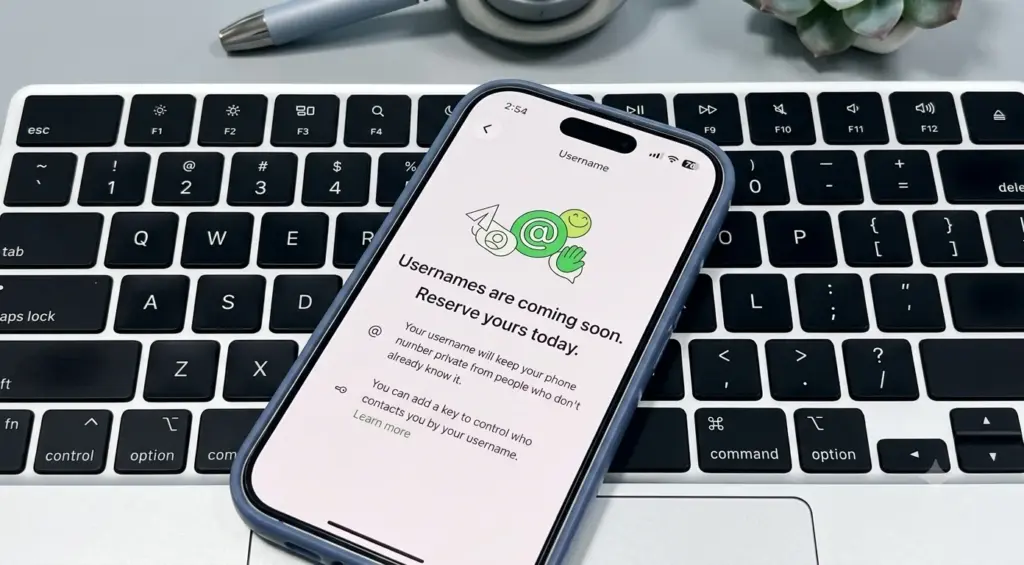
Important thing to know upfront the username feature itself isn’t live yet. What you can do today is reserve one. Claim the handle you want now, and it locks in for you once WhatsApp flips the switch on the full feature sometime later this year.
There are over 3 billion people on WhatsApp. A lot of names are going to overlap once this thing goes fully live. Reserving early is how you keep your preferred handle from getting snatched by someone who just happened to open the app before you did. That’s really the whole point of learning how to reserve and change WhatsApp username before the wider rollout even starts. Also Read What’s the Best AI Search Optimization Tool for Marketers in 2026?
How to reserve yours
Quick process. Maybe 30 seconds once you know where it’s hiding.
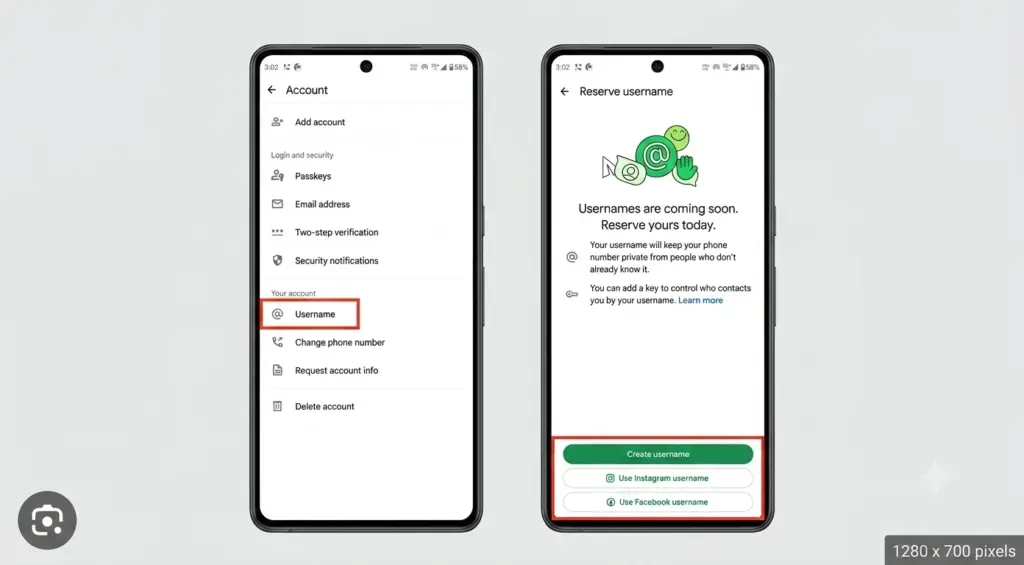
Open WhatsApp on your phone Android or iOS, both work, but this only works on mobile, not WhatsApp Web or Desktop. Go to Settings, tap Account, then tap Username. First time doing this, you’ll see a “Create username” option pop up.
Type in whatever you want. Needs to be somewhere between 3 and 35 characters. If your first pick’s already taken, WhatsApp throws out some suggested variations so you’re not sitting there guessing random combinations on your own.
One shortcut worth knowing about — if you’ve already got an Instagram or Facebook username you’d rather keep consistent, log in through either one and claim that same handle for WhatsApp too. Handy if you’re a creator or running a small business trying to keep one identity across everything you use.
Once reserved, you’re done. Holding onto that username until the full feature goes live, and then it just activates on its own.
Changing it later
Say you reserved something and immediately regretted it, or just want a small tweak. Same menu handles this. Back to Settings, Account, Username this time you’ll see your current username with an Edit button sitting in the top right. Tap it, type the new one, save.
Want to ditch having a username entirely? There’s a delete option in that same menu too. Nothing here locks you in forever, which is honestly one of the better parts of how to reserve and change WhatsApp username — you’re not stuck with whatever you typed in on day one.
A few rules worth knowing first
Not every name’s up for grabs. WhatsApp’s holding back handles connected to celebrities, public figures, and organizations, so don’t go in expecting to snag anything obviously tied to a well-known name or brand. Past that, there aren’t a ton of restrictions just the usual policy stuff you’d expect from any platform.
There’s also no directory, no search built around this. That’s intentional on WhatsApp’s part. Nobody can browse or guess their way into finding your profile through some partial match — someone needs your exact username to message you for the first time. Built that way specifically to keep it from turning into the kind of random discoverability that leads to spam elsewhere.
The username key thing
Beyond just picking a handle, WhatsApp’s adding something called a username key — basically a four-digit code. Turn this on and people need more than just your username to reach you, they’ll need that key too. You can dial your contact permissions down from “Everyone” to “People who know my key,” which is a nice middle ground if you want a username that’s technically out there publicly but still gated behind one more step.
Regenerate the key whenever, or just leave it as-is. It’s optional, but worth switching on if you’re planning to put your username somewhere more public, like a bio or a business card.
Why bother reserving before the feature’s even live
Fair question, honestly. Once usernames roll out fully to everyone, the good handles short, memorable, whatever — are going to disappear fast. Reserving now costs nothing and takes under a minute, so there’s really no reason to skip the how-to-reserve-and-change-WhatsApp-username process now instead of scrambling later once half the decent names are already gone.
WhatsApp said the full rollout’s happening gradually over the coming months, and you’ll get notified right in the app once it hits your country. Think of reserving now as holding your spot in line — the feature just hasn’t switched on for everyone yet, that’s all. Also Read How Is Agentic AI Different from Traditional Chatbots?
Wrapping this up
This is a bigger shift than it looks like at first glance. WhatsApp’s run on phone numbers since the very beginning, and usernames start changing that in a way that hands people more control over what they’re actually sharing with strangers, coworkers, whoever. If you haven’t reserved yours yet, it’s worth the thirty seconds now better than watching someone else grab the name you wanted once this goes fully live later this year.