
Ninety percent of developers worldwide now regularly use at least one AI tool at work for coding and development tasks. That’s not a projected number that’s from JetBrains’ January 2026 AI Pulse survey of 10,000+ professional developers.
So the question isn’t whether you should use AI for coding. That ship sailed. The real question What Is the Best AI Tools for Coding in 2026 for your specific workflow, stack, and budget is the one worth answering carefully. Because the tools are not all the same, the gap between the right choice and the wrong one shows up fast in your daily productivity.
This guide covers the full picture. The top tools ranked by real benchmark data, what each one does best, which ones are genuinely free, and how to match the right tool to your specific situation whether you’re a beginner learning Python, a senior engineer refactoring a massive codebase, or someone doing competitive coding and DSA prep.
Table of Contents
Why There’s No Single “Best” AI Tool for Coding
Before the rankings the honest framing. Most professional developers in 2026 use two to three AI tools for different tasks. A terminal agent for complex multi-file work. An IDE extension for daily autocomplete. A chat interface for quick questions and code review. The best combination depends on how you work, not just which model scores highest on benchmarks.
The best AI coding tool in 2026 depends on how you work, not just which model scores highest on benchmarks. That said, some tools are measurably better than others, and the data makes that clear. Also Read: How Is AI Being Used in FIFA World Cup 2026?
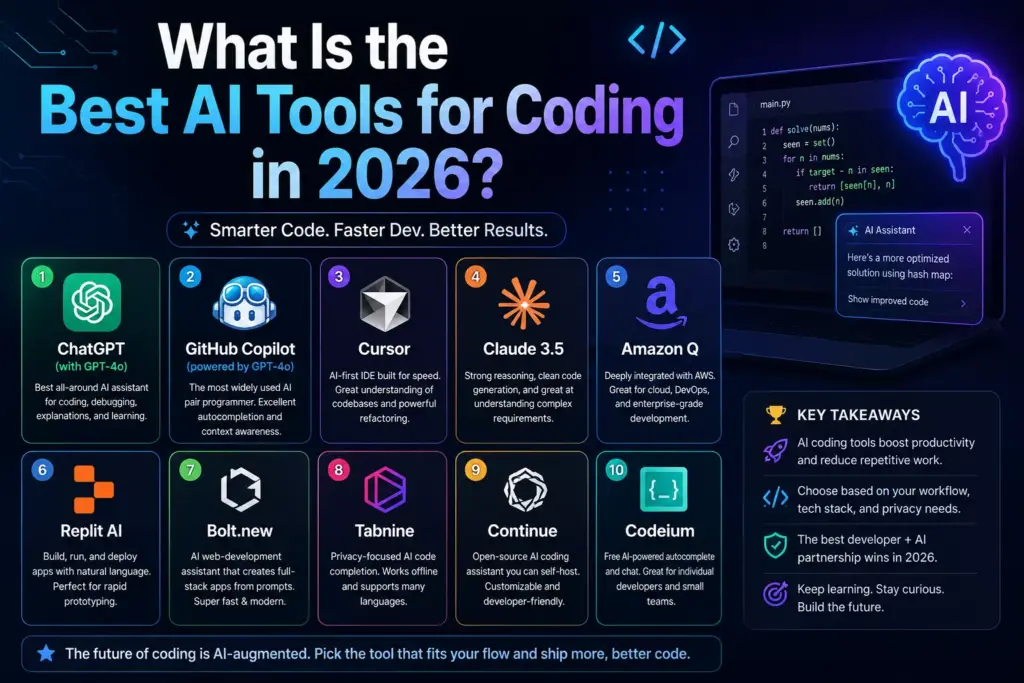
The Top 10 Best AI Tools for Coding in 2026
1. Claude Code — Best Overall for Complex Development
Claude Code ranks #1: Powered by Opus 4.6, Claude Code scores 80.8% on SWE-bench Verified with strong multi-file reasoning and a 1M token context window.
It’s a terminal-native AI coding agent. You run it in your terminal, point it at your codebase, and it reads, writes, refactors, and debugs across your entire project. It understands requirements, plans tasks, writes code, and assists in testing — making it highly effective for complex, end-to-end workflows.
Claude Code has the highest product loyalty metrics on the market, with a CSAT (satisfaction) of 91% and an NPS (likelihood to recommend) of 54. In the US and Canada, its adoption reached 24% in January 2026.
For best AI tools for code documentation, best AI tools for code refactoring, and best AI tools for solving coding problems, Claude Code consistently outperforms alternatives on multi-step and multi-file tasks.
Pricing: Free tier available. Claude Pro at $20/month. Claude Max at $100/month for unlimited frontier model access.
Best for: Senior engineers, complex refactoring, large codebases, API design, production-grade logic.
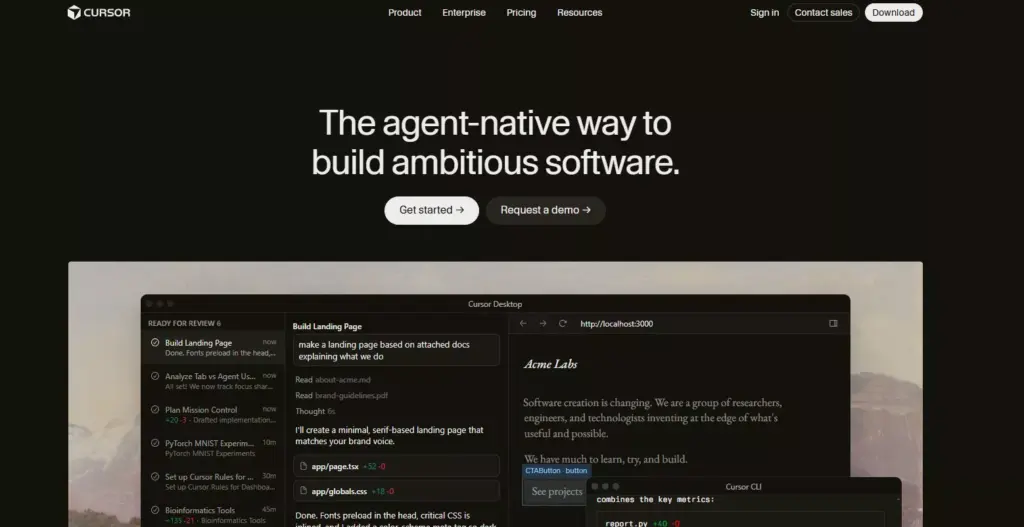
2. Cursor — Best AI-Native IDE
Cursor is an AI-first code editor built on top of VS Code. What keeps Copilot relevant even as AI IDEs like Cursor get more powerful is the price — but Cursor’s standout feature is its ability to understand your entire codebase, not just the file you’re editing.
It’s not a plugin. It’s a full editor that reimagines AI integration into every keystroke — with visual diffs and fast autocomplete. Over 1 million developers use it. Composer mode handles multi-file visual editing. Supermaven-powered autocomplete is the fastest in the category.
For developers asking what are the best AI tools for coding in VS Code or wanting the deepest IDE integration, Cursor is the answer. It works across Python, JavaScript, TypeScript, Java, C#, Swift, R, MATLAB, SQL, and every other major language.
Pricing: Free tier available. Pro at $20/month. Business at $40/user/month.
Best for: Full-stack developers, medium-to-large codebases, developers who prefer GUI over terminal.
3. GitHub Copilot — Best for Teams Already on GitHub
GitHub Copilot is still the most widely known and adopted AI coding tool, with 76% of developers worldwide having heard about it and 29% using it at work.
It installs as an extension in VS Code, JetBrains, Visual Studio, and Vim — giving you inline completions, a chat window, multi-file edits, and an agent mode that handles whole features or draft PRs. It’s tight with the GitHub ecosystem, so repo activity (issues, PRs, commits) flows naturally.
For best AI tools for coding and development inside existing GitHub workflows, Copilot remains the most frictionless choice. Its coding agent reached GA in 2026 with issue-to-PR automation — closing the agentic gap with Claude Code and Cursor. Also Read: Is There Any Site That Gives the Cheapest AI Tools?
Pricing: Free tier (limited). Pro at $10/month. Business at $19/user/month.
Best for: Teams on GitHub, developers who don’t want to change editors, anyone wanting solid autocomplete at low cost.
4. OpenCode — Best Free Open-Source Option
OpenCode takes #1 in the June 2026 LogRocket power rankings as the most-adopted open-source coding agent (160K+ GitHub stars, 7.5M monthly active developers). Model-agnostic access to 75+ providers (Claude, GPT, Gemini, DeepSeek, local via Ollama), unique LSP integration, and MIT licensing make it the most flexible option available.
For developers asking what are the best free AI tools for coding or best AI tools for code generation free, OpenCode with DeepSeek API at $2 to $5/month delivers high-quality AI assistance at near-zero cost. A developer using OpenCode with DeepSeek for $3/month gets genuinely useful AI assistance that would have been science fiction two years ago.
Pricing: Free and open-source. You pay only your provider’s API cost.
Best for: Cost-conscious developers, teams needing air-gapped deployment, anyone wanting model flexibility.
5. Windsurf — Best Balance of Features and Price
Windsurf has Arena Mode, Plan Mode, parallel multi-agent sessions with Git worktrees, and Cascade. At Free–$60, it’s still the best balance of features and price for developers who want a full IDE without Cursor’s premium tier.
Windsurf takes a proactive “flow state” approach — less about autocomplete, more about an AI companion that anticipates what you need next. For best AI tools for coding frontend and best AI tools for coding and web development, Windsurf’s visual tooling and Cascade feature work particularly well.
Pricing: Free tier. Pro at $15/month. Teams at $60/month.
Best for: Frontend developers, developers who like proactive AI suggestions, teams wanting multi-agent workflows.
6. Google Antigravity — Best Free Option
Google Antigravity retains its core advantage: completely free during preview. Multi-agent orchestration, integrated Chrome browser automation, and the most diverse free model lineup keep it the best zero-cost option.
For what are the best AI tools for coding and creating an app without spending anything upfront, Antigravity is the strongest zero-cost option in 2026. Native Google Cloud and Gemini integration makes it the obvious choice for teams already in the Google ecosystem. Also Read: Google Omni: What It Is, What It Does, and Why People Are Talking About It
Pricing: Free (preview). Gemini Code Assist is $19/user/month for enterprise.
Best for: Budget-conscious developers, Google Cloud teams, anyone wanting free multi-agent access.
7. Replit — Best for Beginners and Vibe Coding
For anyone asking what is the best coding software for beginners or searching what are the best AI tools for vibe coding, Replit is the answer.
Replit is a cloud-based AI-assisted development tool that lets you code, collaborate, and deploy applications directly from your browser. Ask for an app and watch it get built. Deploy right away and share with the world.
No local setup. No environment configuration. You describe what you want in plain English and Replit builds it. For best AI tools for coding games, best AI tools for coding websites, and rapid prototyping, the browser-based approach removes every barrier to getting started.
The limitation: Frequent use of AI features can become expensive quickly, with costs ranging from $40 to $50 per basic app. It’s best for learning, prototyping, and MVPs — not large production codebases.
Pricing: Free starter tier. Core at $25/month.
Best for: Beginners, non-technical founders, vibe coding, rapid prototyping.
8. Tabnine — Best for Enterprise Security
Tabnine is built for how you roll out AI coding assistance to a whole engineering org without introducing legal risk, exposing proprietary code, or losing visibility into where your data goes. Zero code retention, no training on your codebase, serious compliance certifications (GDPR, SOC 2, ISO 27001), and deployment options that go all the way to fully air-gapped.
For best AI tools for software coding in regulated industries or large enterprises, Tabnine is a different category from everything else on this list. You’re paying for governance alongside features.
Pricing: Free basic tier. Code Assistant Platform at $39/user/month (annual).
Best for: Regulated industries, enterprise security requirements, teams with strict data governance.
9. Bolt.new — Best for Quick App Prototyping
Bolt.new is a lightweight, browser-based coding tool designed for fast prototyping and experimentation. It works well for tasks like exploring APIs, building internal tools, or testing new libraries — with minimal friction and a fast feedback loop.
For best AI tools for code generation with a visual, no-setup experience, Bolt.new sits alongside Replit and Lovable.dev in the vibe coding category. The difference: Bolt is faster for quick API testing and internal tool building.
Pricing: Free starter tier. Pro at $20/month.
Best for: Rapid prototyping, internal tools, hackathons.
10. Amazon Q Developer — Best for AWS Teams
For developers on AWS infrastructure, Amazon Q Developer understands your AWS architecture natively. It handles best AI tools for code development inside AWS environments — Lambda functions, CloudFormation templates, DynamoDB schema design — with context that generic tools lack.
Also strong for best AI tools for coding SQL inside AWS data environments and for teams working on Salesforce with best AI tools for Salesforce coding integrations.
Pricing: Free tier (50 interactions/month). Pro at $19/user/month.
Best for: AWS-heavy teams, cloud architects, enterprise AWS deployments.
Full Comparison Table — Best AI Tools for Coding in 2026
| Tool | Best For | Free Tier | Paid Starts At | Languages | Benchmark |
|---|---|---|---|---|---|
| Claude Code | Complex tasks, refactoring | Yes (limited) | $20/month | All major | 80.8% SWE-bench |
| Cursor | AI-native IDE, daily editing | Yes | $20/month | All major | Top tier |
| GitHub Copilot | GitHub teams, autocomplete | Yes | $10/month | All major | Widely tested |
| OpenCode | Free open-source, flexibility | Yes (free) | API cost only | 75+ providers | Comparable to Claude |
| Windsurf | Frontend, flow-state coding | Yes | $15/month | All major | Strong |
| Google Antigravity | Free multi-agent, Google Cloud | Yes (free) | $19/mo enterprise | All major | Growing |
| Replit | Beginners, vibe coding, apps | Yes | $25/month | All major | N/A (beginner) |
| Tabnine | Enterprise security, compliance | Yes (limited) | $39/user/month | All major | N/A |
| Bolt.new | Prototyping, quick apps | Yes | $20/month | Web-focused | N/A |
| Amazon Q | AWS teams, SQL, cloud | Yes | $19/user/month | All major | AWS-specific |
Best AI Tools for Coding by Language
What are the best AI tools for Python coding? Claude Code and Cursor lead for Python. Both handle Python’s dynamic typing, package management, and data science workflows well. For best AI tools for coding in Python free, OpenCode with DeepSeek delivers strong Python output at near-zero cost. For best AI tools for ML coding, Claude Code handles NumPy, PyTorch, and scikit-learn with real context awareness. Also Read: Best AI tools for small businesses in 2026
Best AI tools for coding Java? GitHub Copilot’s JetBrains integration gives it a natural advantage for Java IntelliJ IDEA is the dominant Java IDE and Copilot’s native integration is tight. Cursor also handles Java well through its VS Code base.
Best AI tools for coding C#? GitHub Copilot in Visual Studio is the dominant choice for C# and .NET. For best AI tools for .NET coding, the combination of Copilot and VS 2026’s built-in AI features covers almost everything.
Best AI tools for SQL coding? Claude Code handles SQL well for complex query generation and optimization. GitHub Copilot in VS Code with a database extension works well for day-to-day SQL in development workflows.
Best AI tools for coding R? Cursor and Copilot both support R syntax. For best AI tools for coding in R, Claude Code handles statistical code with genuine context — not just autocomplete.
Best AI tools for coding in Unity? GitHub Copilot in VS Code with Unity support is the most stable choice for best AI tools for coding in Unity in 2026. Cursor also works with Unity C# scripts through its VS Code base.
Best AI tools for VBA coding? GitHub Copilot in VS Code covers VBA. For best AI tools for VBA coding, Claude Code through the API handles complex VBA logic and Excel automation with good accuracy when given explicit context.
Best AI Tools for Specific Tasks
Best AI tools for code debugging: Claude Code wins here. Its 1M token context window means it can read your entire codebase, trace errors across multiple files, and explain what’s actually wrong — not just where the error is thrown. Cursor’s inline error highlighting and Copilot’s chat both work well for single-file debugging.
Best AI tools for code documentation: Claude Code generates clear, accurate documentation from existing code. Cursor handles inline docstring generation well for everyday documentation needs.
Best AI tools for code review: For AI code review tools in 2026, Claude Code’s reasoning capability handles architectural-level review. GitHub Copilot’s PR review feature is the most integrated for teams already using GitHub. OpenCode’s LSP integration feeds compiler diagnostics back to the model for unusually thorough analysis.
Best AI tools for code optimization: Claude Code for complex optimization requiring reasoning about trade-offs. Cursor for fast inline suggestions. Both handle best AI tools for code optimization well depending on complexity.
Best AI tools for code conversion: Claude Code handles language-to-language conversion best — from Python to TypeScript, Java to Kotlin, etc. For best AI tools for code conversion, specify the target language and any framework constraints in your prompt.
Best AI tools for competitive coding and DSA: For best AI tools for coding DSA and competitive programming, ChatGPT and Claude both work well as thinking partners for algorithm design. They’re better used for explaining approaches than for generating copy-paste solutions — understanding the logic matters for interviews.
Best AI tools for coding interviews: For best AI tools for coding interviews, using Claude Code or ChatGPT to practice explaining your reasoning out loud — not just generating solutions — is the most effective approach. LeetCode’s own AI hints and AlgoMonster both incorporate AI assistance for structured DSA practice.
Best AI tools for HTML coding: Cursor with its VS Code base handles HTML well. For best AI tools for HTML coding and frontend work, V0 (Vercel’s design-to-code tool) converts Figma designs into clean React components and is specifically built for this use case.
What Are the Best AI Tools for Vibe Coding?
“Vibe coding” — building apps through natural language prompts with minimal manual code writing — is a real and growing workflow in 2026.
For what are the best AI tools for vibe coding:
- Replit — most accessible, browser-based, deploy immediately
- Bolt.new — fastest for quick prototypes and internal tools
- Lovable.dev — best for polished UI prototypes with Supabase integration
- Cursor with Claude — best for vibe coding that might become a real product
The distinction matters: vibe coding tools prioritize speed over control. If you’re building something you’ll maintain long-term, starting with Cursor gives you more control over the codebase once the AI has done the initial heavy lifting.
Best Free AI Tools for Coding, Ranked
For developers on a tight budget, here are the genuinely free options that deliver real value:
| Tool | What’s Free | Limitation |
|---|---|---|
| OpenCode | Fully open-source | Pay API provider cost ($2–5/mo typical) |
| Google Antigravity | Full access during preview | Preview may end |
| GitHub Copilot | Basic completions | Limited chat and agentic features |
| Claude Code | Limited daily usage | Rate limited without subscription |
| Cursor | 2-week free trial | Then $20/month |
| Windsurf | Free tier | Limited requests/month |
| Replit | Starter tier | Limited AI features |
| Codeium | Free for individuals | Fewer advanced features |
For the best best AI tools for code generation free with no credit card, OpenCode + DeepSeek or Google Antigravity are the two strongest genuine zero-cost options in June 2026.
What Coding Is Used for AI? Tools Developers Need to Build AI Apps
If you’re not just using AI to write code but actually building AI-powered applications, you need a different set of tools required for artificial intelligence development:
LangChain / LangGraph — the most popular framework for LLM-powered applications. Handles prompt management, chain orchestration, retrieval, memory, and tool use. LangGraph Cloud launched production agent hosting in 2026.
LlamaIndex — strong alternative to LangChain for RAG (Retrieval-Augmented Generation) applications and document indexing.
Hugging Face — model hub and deployment platform. Llama 4 Scout with 10M token context is available through Hugging Face.
Pinecone / Weaviate / Qdrant — vector databases that power search and retrieval systems in AI apps.
Python remains the dominant language for AI development. Most ML frameworks — PyTorch, TensorFlow, scikit-learn, Hugging Face Transformers — have Python-first APIs. For what coding is used for AI, Python is the correct answer for almost every ML and LLM use case in 2026.
How to Build AI Tools?
If you’re asking how to build AI tools yourself, the typical starting stack in 2026 is:
- Python as the base language
- OpenAI API or Anthropic API for the LLM
- LangChain or LangGraph for orchestration
- A vector database (Pinecone, Weaviate, or Chroma locally)
- FastAPI for the API layer
- Cursor or Claude Code to accelerate the development
Claude Code is particularly useful for this workflow because it understands multi-file LLM application architecture — not just individual code snippets — and can reason about the system design while helping you build it.
Which AI Coding Tool Should You Actually Start With?
The decision tree that works for most developers:
You’re a beginner learning to code → Replit. Browser-based, no setup, immediate results, solid Python and JavaScript support.
You’re a developer who doesn’t want to change editors → GitHub Copilot. Installs in minutes, works in your existing setup, $10/month.
You want the best AI coding experience and don’t mind switching editors → Cursor. Deepest IDE integration available.
You work on large, complex codebases → Claude Code. The 1M context window and multi-file reasoning are genuinely different from everything else.
You need it to be free → OpenCode + DeepSeek or Google Antigravity.
You’re at an enterprise with strict security requirements → Tabnine.
You want to vibe code and build fast → Replit or Bolt.new.